
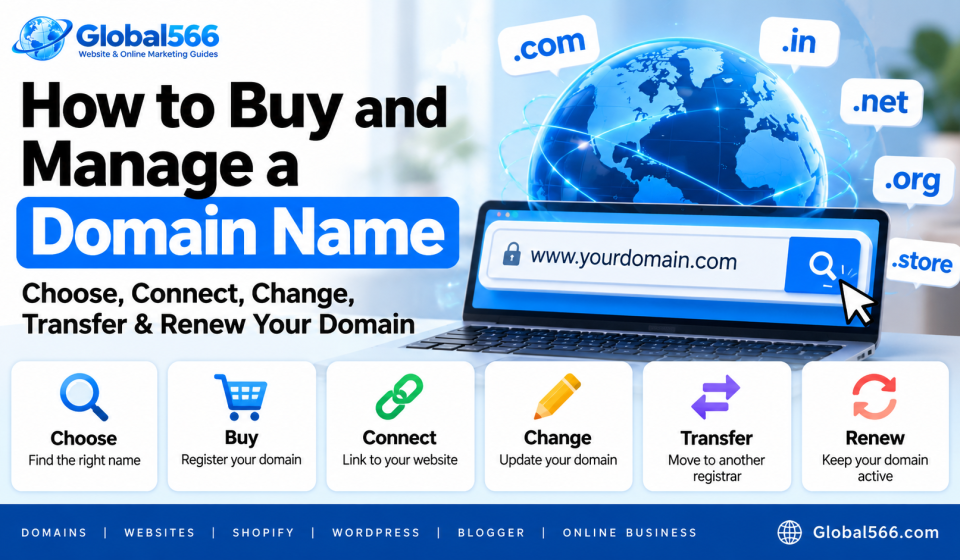

Your domain name is the web address people type to visit your website.
For example:
yourbusiness.com
You can use that domain with WordPress, Shopify, Blogger, or another website platform.
Buying the domain is usually the easy part. The confusing bits start when you need to connect it, change it, transfer it, or renew it.
How to choose a domain name
Start with a name that’s easy to remember and type.
If you run a business called Green Cafe, something like:
greencafe.com
is easier to remember than:
best-green-cafe-and-restaurant-in-guwahati-2026.com
Keep the spelling simple.
Avoid unnecessary numbers and hyphens unless they’re part of your actual brand name.
Choose the right domain extension
.com is still the first extension I’d check for a general business or website.
Other extensions can make sense too:
.in
.org
.net
.co
.store
A local Indian business might choose a .in domain, while a global business might prefer .com.
Check the renewal price before buying. Some registrars advertise a very cheap first-year price and charge considerably more from year 2.
How to buy a domain name
Choose a domain registrar and search for the domain you want.
For example:
greencafe.com
If it’s available, add it to your cart and complete the registration.
During checkout, you’ll probably see extra services such as privacy protection, email, SSL, website builders, and hosting.
Read each one before paying. You don’t have to buy every extra service shown on the screen.
After payment, the domain should appear in your registrar account.
Keep your login details secure because control of the registrar account means control of the domain.
How to connect a domain to a website
Your domain and website hosting are separate things.
The domain is the address.
Your hosting account stores your website files and serves the website to visitors.
To connect them, you usually change DNS records at your domain registrar.
Your website host will tell you exactly which records to add.
For example, you might be asked to add an A record:
Type: A
Host: @
Points to: 192.0.2.10
Or a CNAME record:
Type: CNAME
Host: www
Points to: example.host.com
The actual values depend on your website platform.
Don’t copy DNS values from another website. Use the records provided by your own hosting company or website platform.
How to connect a domain to Shopify
Shopify lets you connect a domain you purchased from another registrar.
In your Shopify admin, go to:
Settings → Domains
Choose Connect existing domain.
Enter your domain name.
Shopify will show you the DNS records that need to be changed at your domain registrar.
Log in to your registrar and update those records.
Then return to Shopify and verify the connection.
You can also buy a domain through Shopify if you prefer to manage the domain there.
Once the domain is connected, choose your preferred domain and set it as the primary domain for your store.
How to connect a domain to WordPress
The steps depend on whether you’re using WordPress.com or self-hosted WordPress.
For a self-hosted WordPress website, your hosting company will usually give you nameservers or DNS records.
For example:
Nameserver 1: ns1.examplehost.com
Nameserver 2: ns2.examplehost.com
Log in to your domain registrar and replace the existing nameservers with the ones provided by your hosting company.
Your hosting account then knows where the domain should point.
After the DNS changes take effect, open your domain and check the website.
If you’re using WordPress.com, the domain connection process is handled through your WordPress.com dashboard and depends on your plan.
How to connect a domain to Blogger
Blogger can use a custom domain such as:
myblog.com
instead of:
myblog.blogspot.com
Open Blogger and go to:
Settings → Publishing → Custom domain
Enter your domain.
Blogger will give you CNAME records that you need to add to your domain’s DNS settings.
You’ll typically see one CNAME pointing to:
ghs.googlehosted.com
Blogger will also provide another unique CNAME record for verification.
Add the records at your domain registrar.
You may also need to add Google’s Blogger A records if you’re connecting the root domain.
Then return to Blogger and save the custom domain.
DNS changes can take some time to spread.
How to change a domain name
Changing a domain means replacing your current website address with another one.
For example:
oldsite.com
becomes:
newsite.com
Before changing it, register the new domain.
Then connect the new domain to your website.
You’ll also need to update your website settings, links, email addresses, analytics tools, and search engine settings where applicable.
For WordPress, check:
Settings → General
and update the WordPress Address and Site Address.
If your website has hundreds or thousands of old URLs, use proper 301 redirects from the old URLs to the corresponding new URLs.
Keep the old domain active for a good period so visitors and search engines can reach the redirects.
How to transfer a domain
A domain transfer moves your domain from one registrar to another.
For example:
Registrar A → Registrar B
The website itself doesn’t have to move with the domain.
Before starting, make sure the domain is eligible for transfer.
You’ll usually need to:
- Unlock the domain at your current registrar.
- Get the domain’s authorization code, sometimes called an EPP code.
- Start the transfer at the new registrar.
- Enter the authorization code.
- Confirm the transfer through email if required.
Some domains have transfer restrictions after registration or a previous transfer.
Check the rules for your specific domain extension before starting.
How to renew a domain
Domain registration usually lasts for a fixed period, commonly 1 year.
When the registration expires, the domain can stop working.
Go to your registrar and open your domain settings.
Look for:
Domains → Renewal
Choose the renewal period and complete the payment.
You can also turn on automatic renewal if your registrar supports it.
Keep your payment method and contact email up to date.
That renewal reminder isn’t decorative.
What happens when a domain expires?
An expired domain can stop resolving to your website.
Your email can stop working too if it’s connected to that domain.
Many registrars give you a grace period after expiration during which you can renew the domain. The exact rules depend on the registrar and domain extension.
After that, the domain can enter a redemption period or eventually become available for registration again.
The price to recover an expired domain can also be much higher than the normal renewal fee.
So check your renewal date before it becomes a problem.
Keep your domain account secure
Your domain account controls an important piece of your website.
Use a strong, unique password.
Turn on 2-factor authentication if your registrar supports it.
Keep your recovery email and phone number current.
Also check your domain’s contact information and renewal settings occasionally.
A domain can run quietly for years. Then one forgotten renewal email turns into a very annoying Monday morning.
Check your domain after making changes
Whenever you change DNS records, transfer the domain, or connect it to a new website, test everything.
Open:
https://yourdomain.com
https://www.yourdomain.com
Check that the correct website loads.
Test your contact form.
Check your email if you’re using a custom domain email address.
Make sure HTTPS works.
For an ecommerce website, go through the checkout too.
DNS changes can take time, so don’t panic and start changing random records if the domain doesn’t work immediately.
Keep your domain for the long term
A good domain can stay with your business for years.
Keep track of the registrar, renewal date, DNS settings, and the services connected to the domain.
If you ever move your website from Blogger to WordPress, WordPress to Shopify, or one hosting company to another, you can keep the same domain and point it to the new platform.